How remote patient monitoring works

How remote patient
monitoring works.

A connected device sends a reading. MyRemoteDr can automatically trigger a patient check-in, then bring the measurement and patient feedback together for your practice staff.

Blood pressure monitor Scale Pulse oximeter Spirometer Glucose meter

Automatic from device to check-in

The reading starts it.
The patient adds the context.

Configured rules connect incoming measurements with relevant follow-up questions. A check-in starts when the reading meets the configured trigger criteria.

01 / Receive

A home reading arrives.

The patient uses an integrated health device. Its reading flows automatically into MyRemoteDr.

02 / Trigger

A configured rule is met.

The platform evaluates the reading against configured rules and can automatically start a relevant Engager questionnaire.

03 / Engage

The patient adds context.

The Engager questionnaire asks about symptoms, medications, or how the patient is feeling—in English or Spanish.

04 / Review

Your team sees the picture.

Review the measurement alongside the patient’s responses to inform follow-up under your clinical protocols.

An example: blood pressure monitoring

From a blood pressure reading
to a patient check-in.

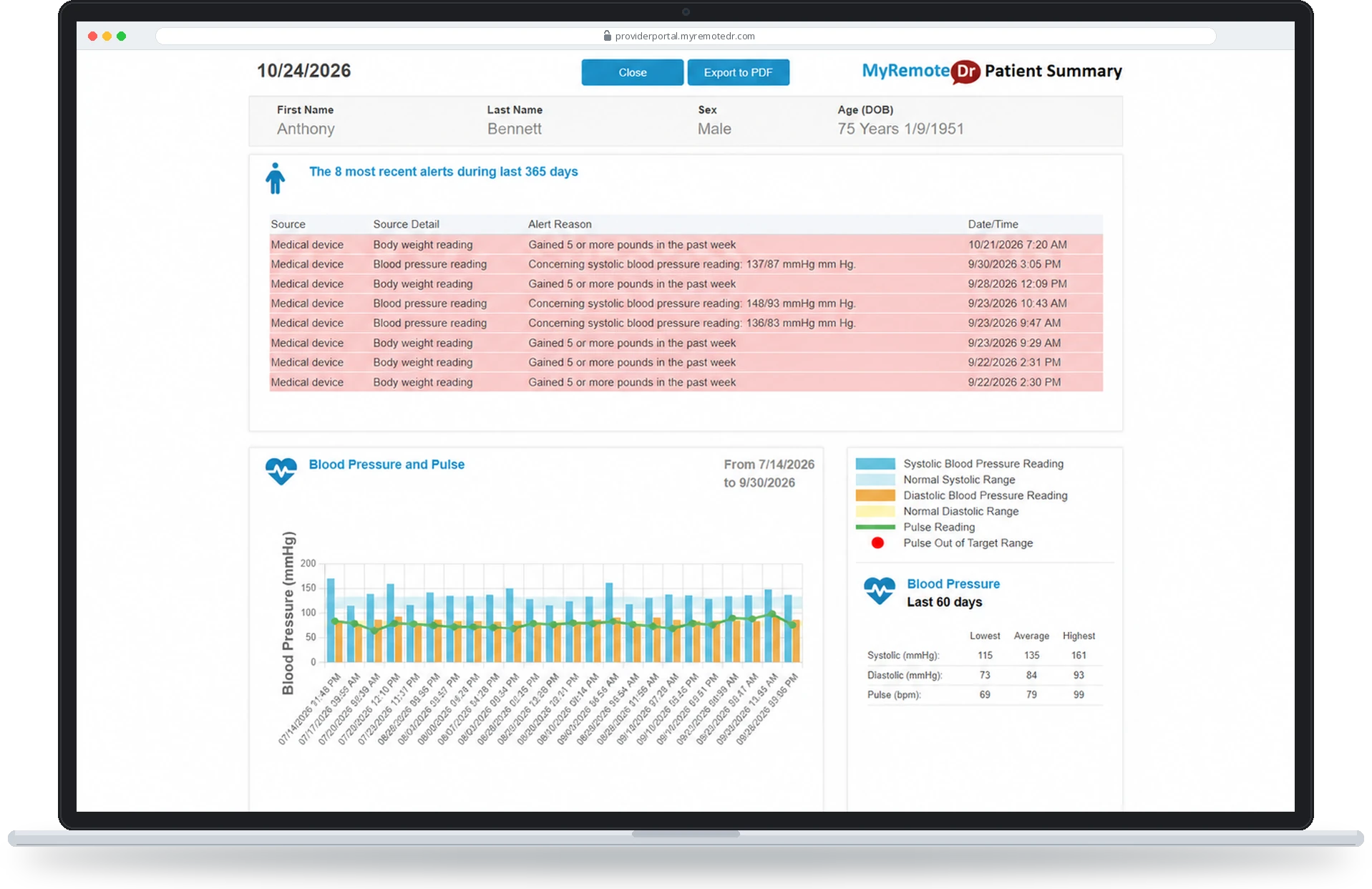
A patient takes a reading at home. If that reading meets a configured trigger rule, MyRemoteDr can automatically launch an Engager questionnaire to collect relevant symptom or medication feedback.

The care team can then review the reading and the patient’s answers together before deciding on follow-up.

Explore the care team’s view →
Home → MyRemoteDr → Care team Illustrative workflow
  1. Device reading received

    Sent automatically from the integrated monitor

  2. Configured trigger rule matched

    Determines whether to start a relevant check-in

  3. Patient Engager questionnaire started

    Questions in the patient’s selected language

  4. Reading + patient subjective response available for review

    The clinical team determines the next step

Patients and caregivers participate.
Your practice staff stays informed.

Engager questionnaires are automated and collect symptoms, medication feedback, and care-routine information. Patients and authorized caregivers—such as a family member or friend—can participate, while your practice staff sees the responses alongside connected readings.
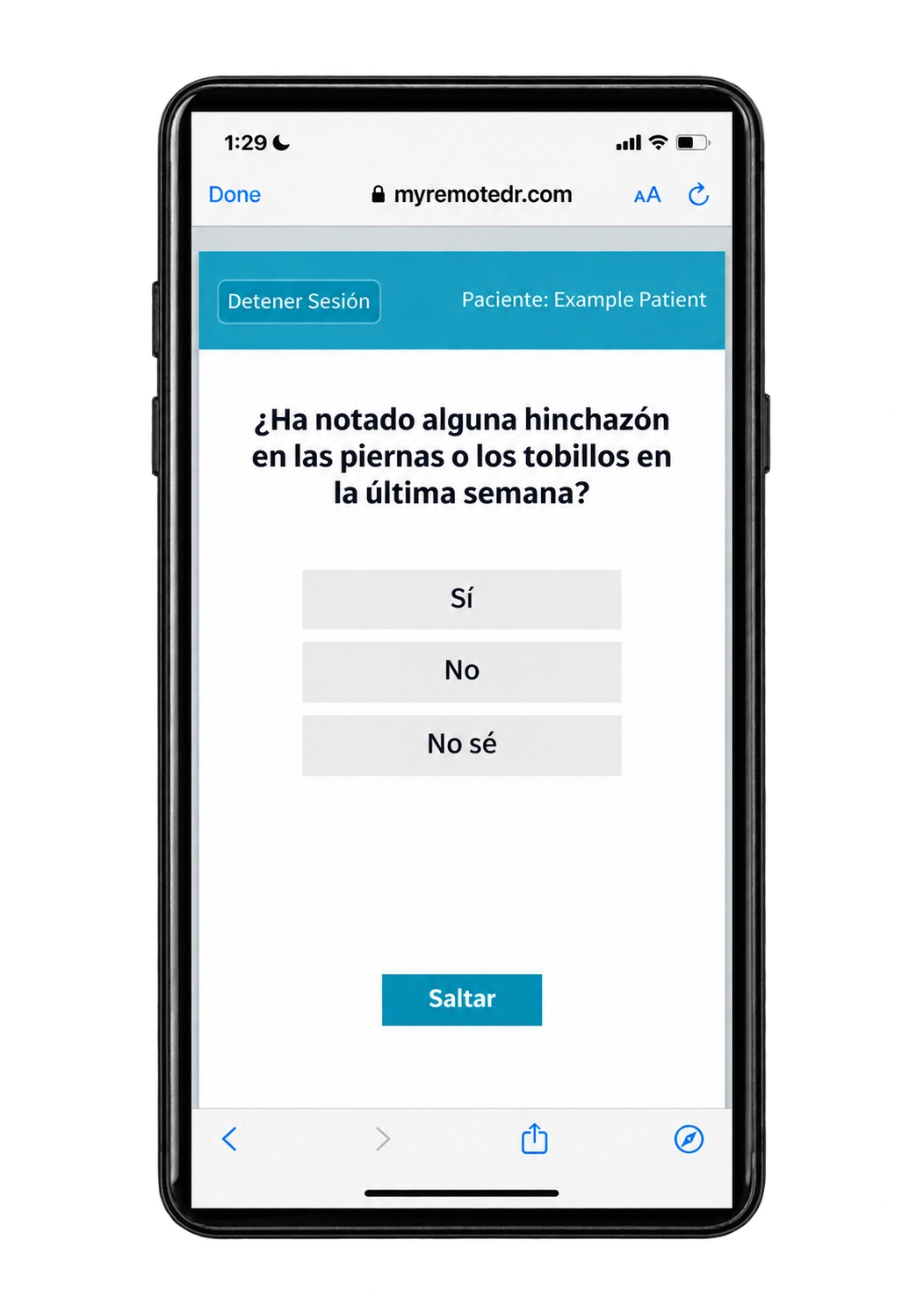
On the patient’s phone

Spanish smartphone questionnaire: ¿Ha notado hinchazón en las piernas o los tobillos en la última semana? Sí, No, No sé.
A symptom question—not a request to re-enter a device reading.

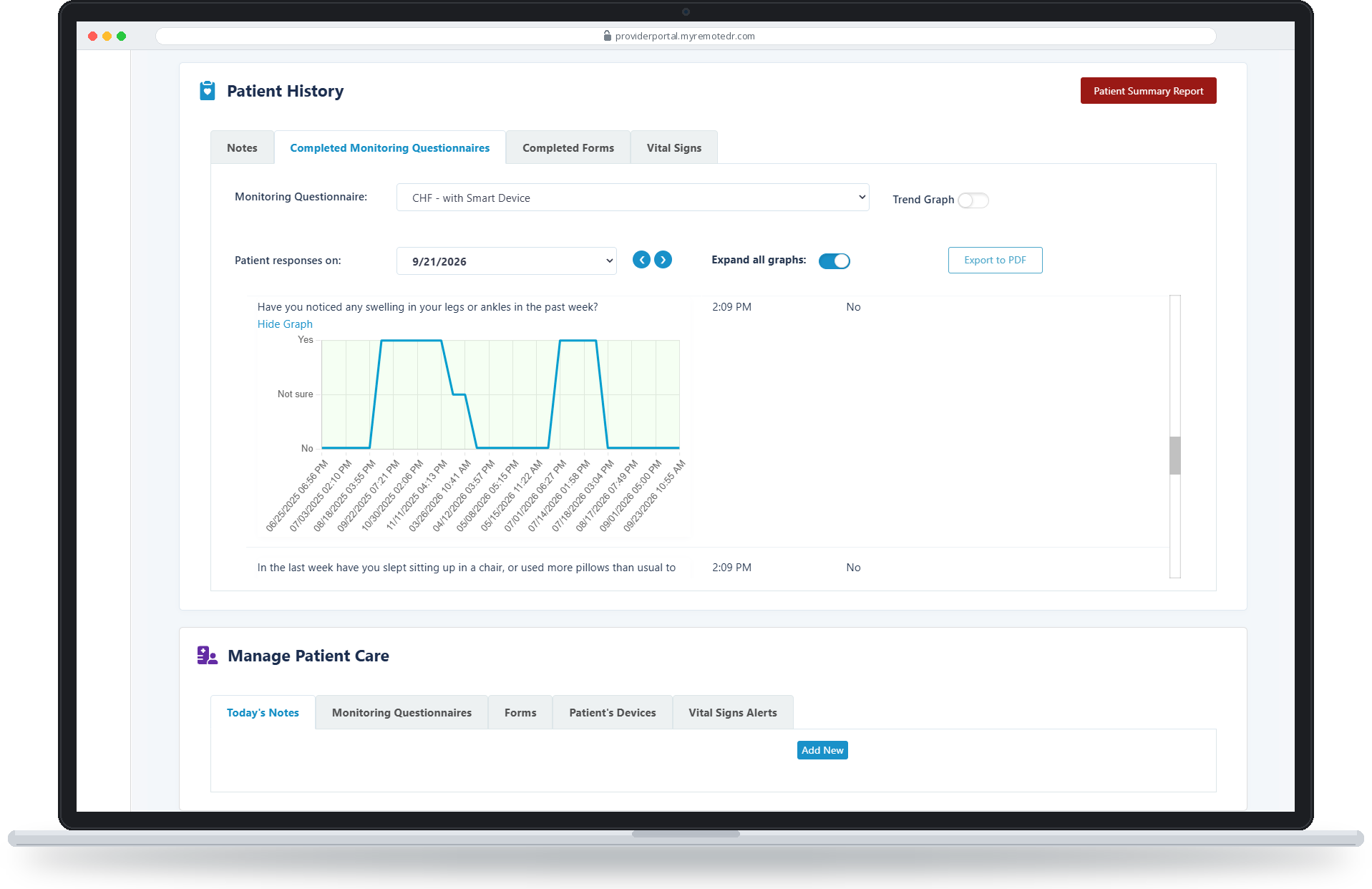
In the provider portal (English screen)

Provider portal showing a No response to the swelling question and a graph of earlier responses.
Review the response and its history. Click the screen to see it full-size.

The product your team will use.

MyRemoteDr screens with fictional demonstration data.
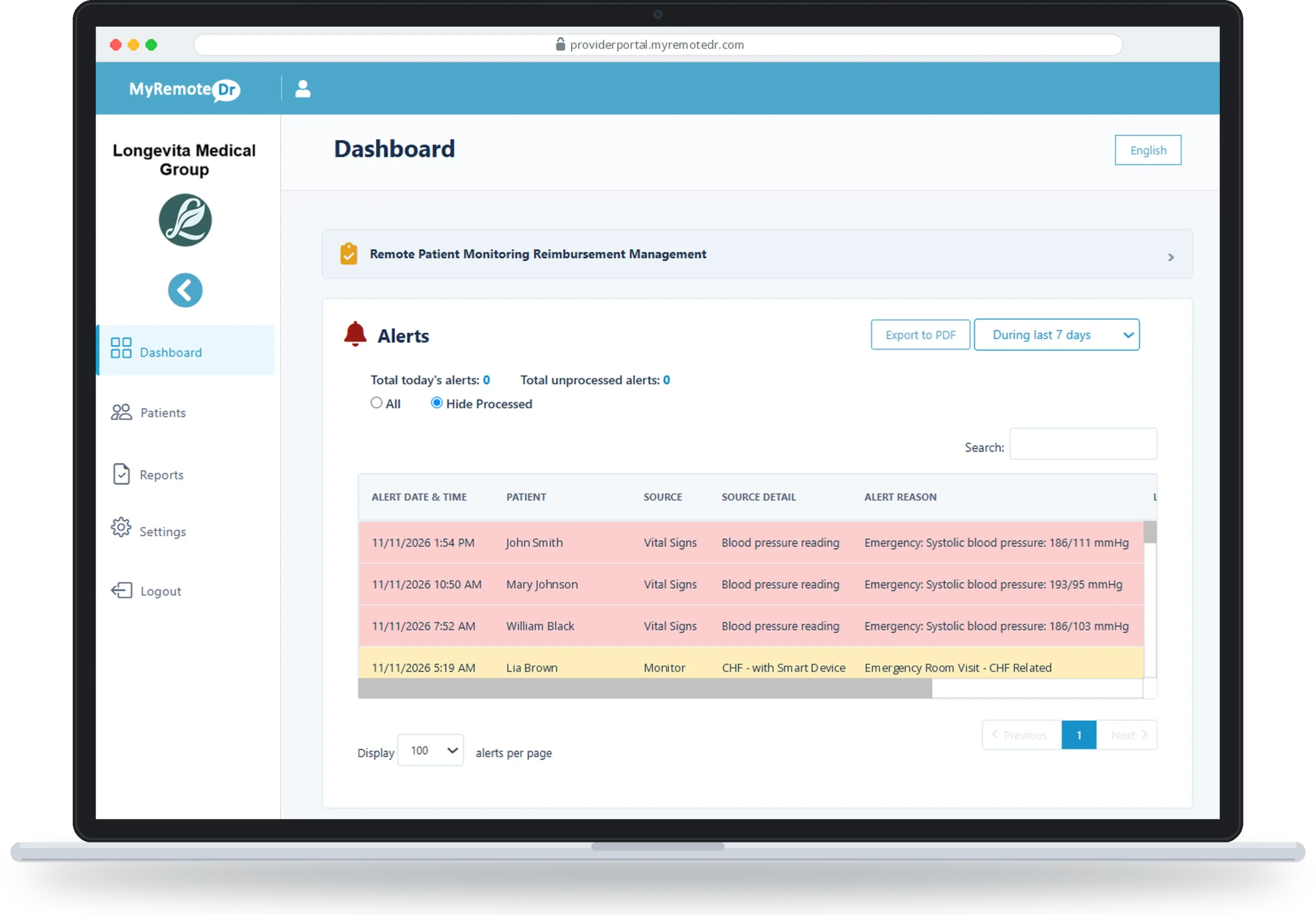
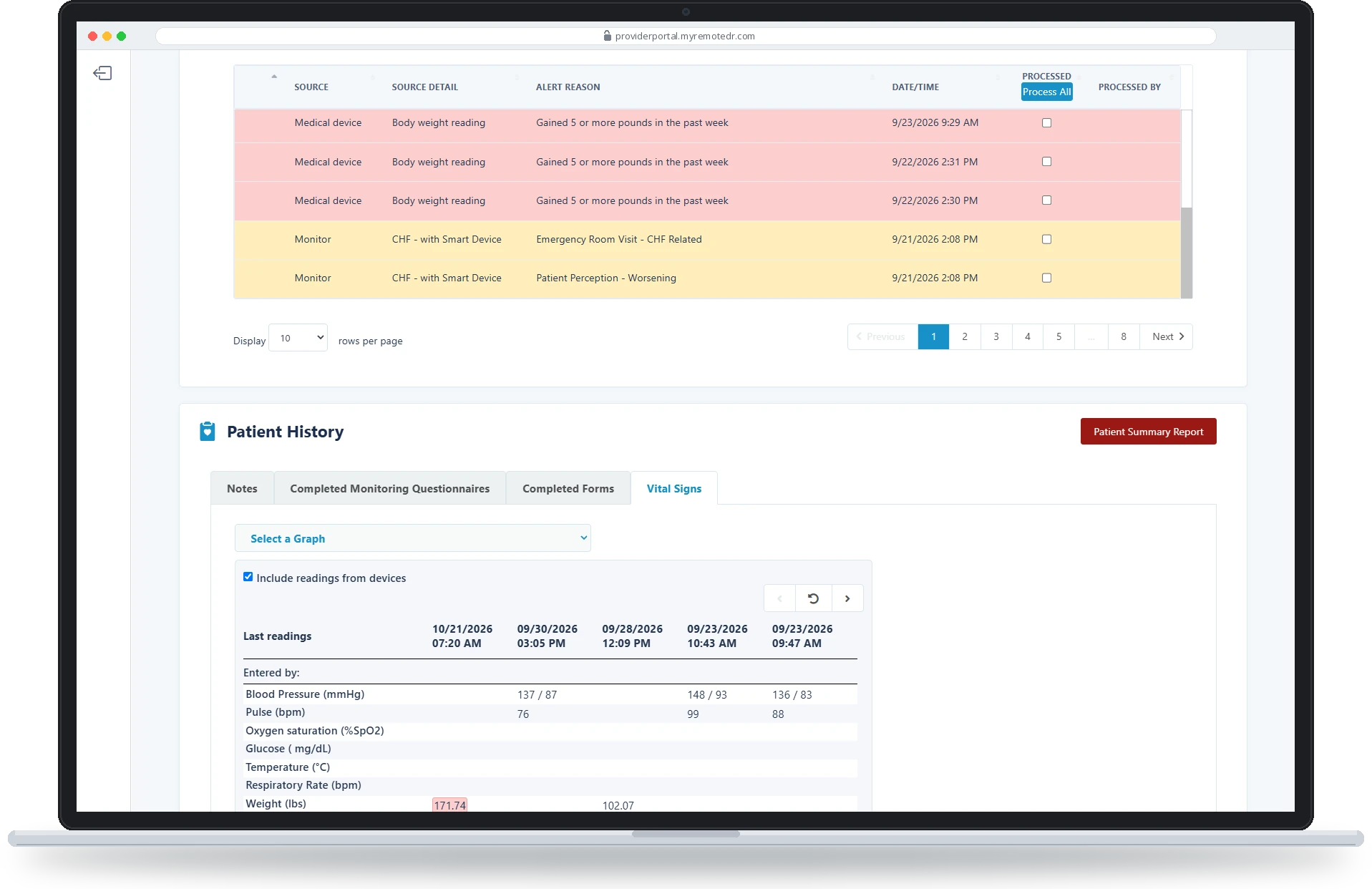
MyRemoteDr provider dashboard with patient alerts and navigation

Find patient alerts in the practice dashboard. Fictional demonstration data.
How MyRemoteDr supports your practice.

Clinical monitoring by your practice staff

Your practice staff reviews patient information and performs clinical follow-up. MyRemoteDr supports that work with readings, responses, customizable alerts, and reports.

Customizable alerts

MyRemoteDr sends your practice customizable alerts for readings that need attention. Staff can review the alert alongside measurement history and patient-reported information.

Automatic reminders and participation reports

MyRemoteDr automatically reminds patients to take readings and encourages patients who miss them. Reports show participation so your staff can identify patients who may need additional outreach.

EHR integrations

MyRemoteDr has EHR integrations available and can develop additional integrations when necessary. The integration connects your existing EHR workflow with supported MyRemoteDr data exchange.

Billing tools and documentation

Built-in time tracking and reporting capture care time, device activity, and check-in summaries—giving your team organized documentation to support RPM, RTM, and related billing workflows.

Engager questionnaires for RPM and RTM

Engager questionnaires add symptom and medication feedback to RPM and can support eligible RTM use cases with treatment adherence and response information. Billing depends on the requirements of the applicable service.

How RPM complements CCM

MyRemoteDr adds home readings and patient check-ins to existing Chronic Care Management workflows. Eligible RPM and CCM services may be billed together when each service’s requirements are met and time and effort are not counted twice.

See MyRemoteDr in action.

Explore connected readings, bilingual check-ins, customizable alerts, and practice reports.

Request a Demo
Scroll to Top